Before You Start
By the end of this section you will have confirmed that NeuroBook can actually call an Agent. Doing this first keeps you from getting stuck later at "the project is created, but the AI cannot work."
What You Need
Before starting your first book, confirm four things:
- You can open NeuroBook and sign in.
- You have configured at least one model provider.
- The current default Agent profile can create a session.
- You know which new book you want to write, or at least have one idea worth exploring.
If you have not got the app running yet, go back to Quick Start.
Configure a Model Provider
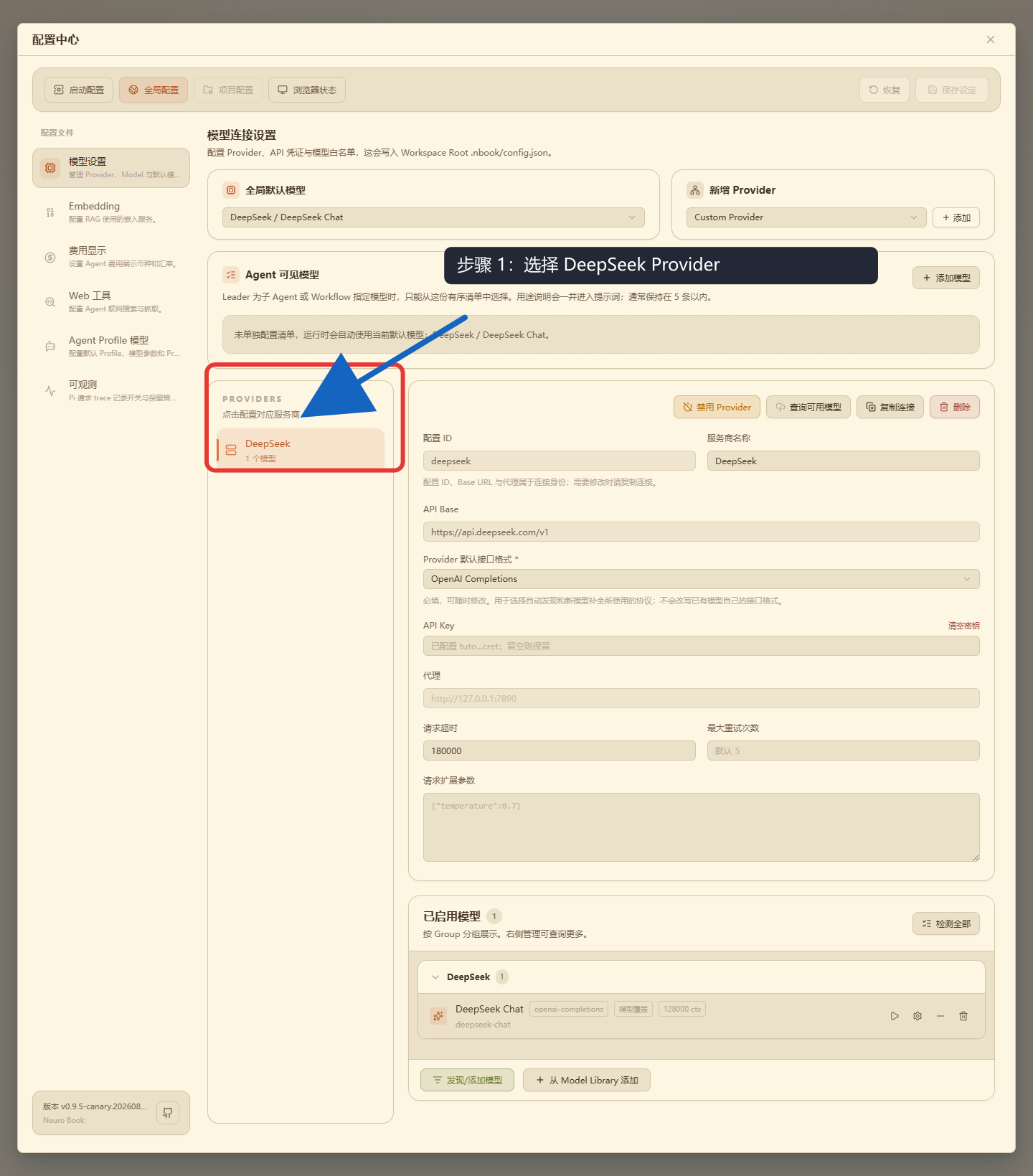
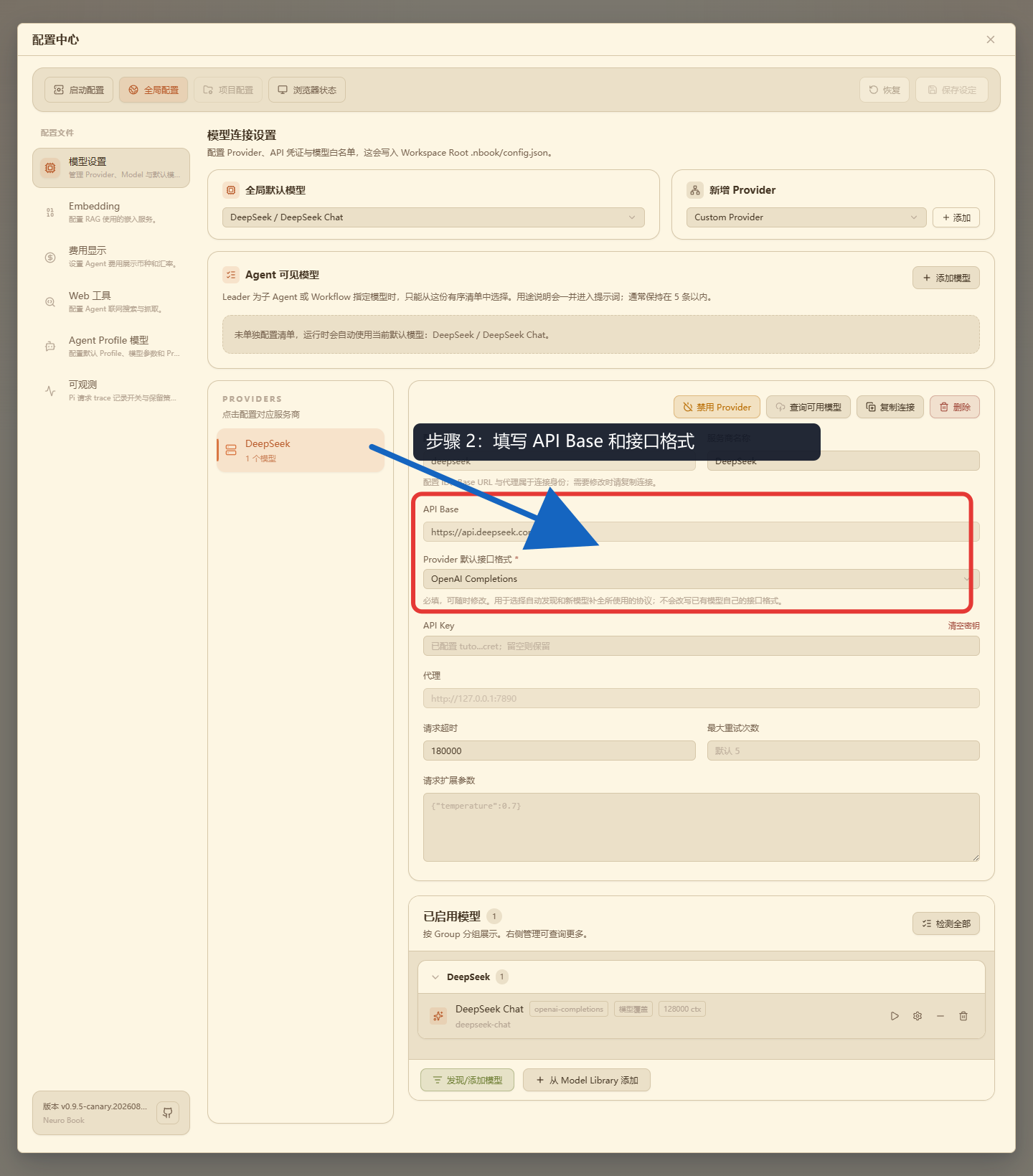
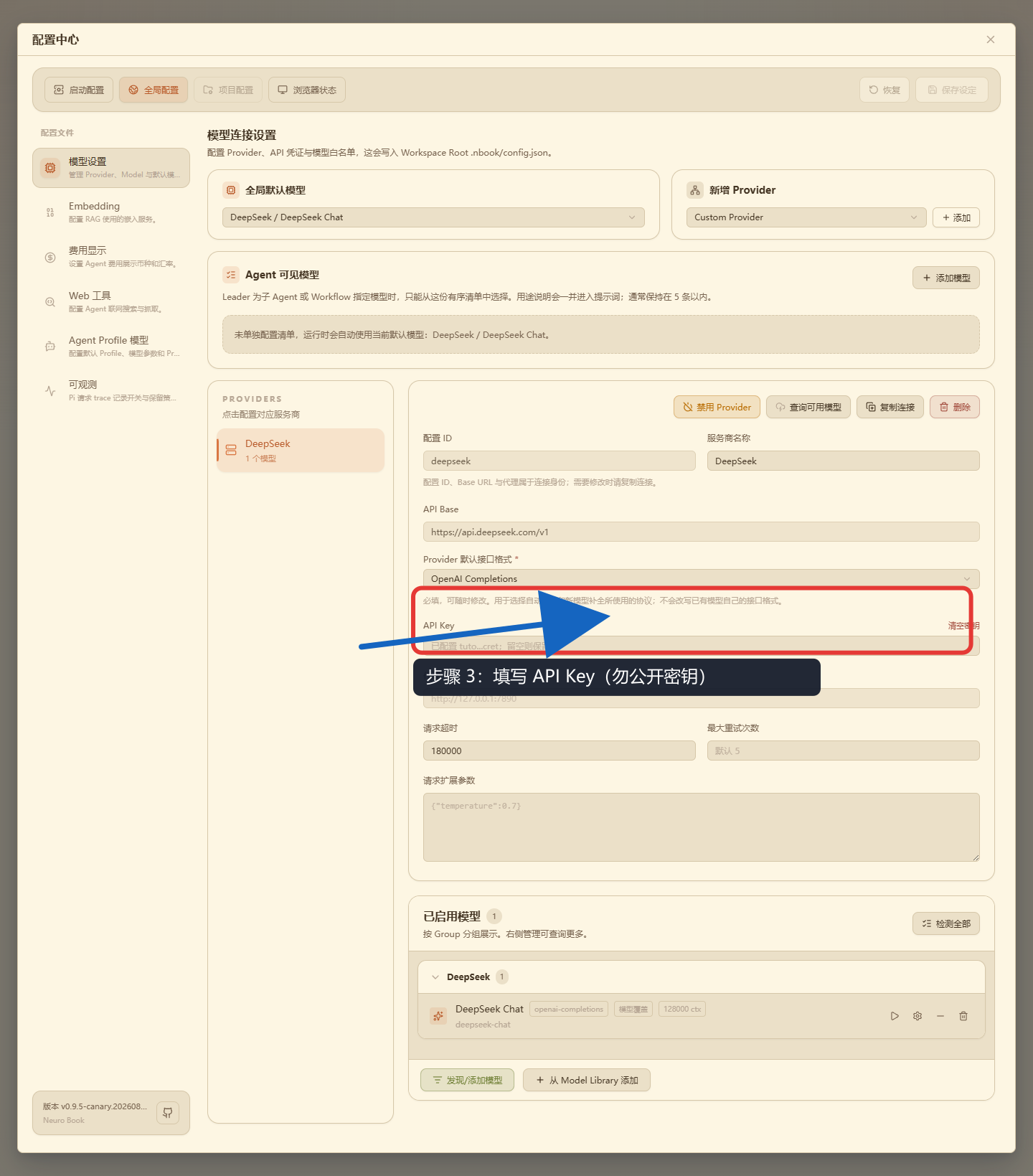
Click the account avatar → Settings at the far right of the top bar, open the Models section, and complete four steps in order: choose the provider, fill in the API Base and format, enter the API key, and confirm the model entry. Each image covers one action; the key shown in the images is a redacted placeholder and must not be copied into a real configuration.
- Choose the provider:
- Fill in the API Base and format:
- Enter the API key:
- Confirm the model entry:

The deployment scripts do not save an API key for you; whether the Agent works at all depends entirely on getting this right.
A provider is the service that supplies the large model API. The provider sets the price and you pay the provider directly — NeuroBook itself charges nothing. See Configure an AI Model.
Once that is done, click the button at the far right of the top bar to open the Agent panel (the right-hand drawer) and send one message as a minimal check:
Reply briefly: can you work as a creative writing Agent for NeuroBook right now?If the Agent replies normally, move on. If it does not, check these first:
- Whether the API key was saved.
- Whether a default model is selected.
- Whether the provider is reachable.
- Whether the current account is signed in.
Confirm the Current Project
The first time you come to this tutorial you may not have a project yet. That is fine — the next section creates one.
If you already have projects, make sure the one currently selected on the page is the book you want to write. Everything that follows — the Agent reading and writing files, calling writer, importing character cards, tracking world state with the World Engine — happens around the current Project Workspace.
Prepare a Starting Point
You do not need a full outline. Any one of these is enough:
I want to write something set on a night train, with an amnesiac ticket inspector as the protagonist.I want to write academy fantasy. The heroine is an artificial dragon girl the academy has been raising as a secret weapon.I have a SillyTavern character card and I want to turn it into a NeuroBook project.How You Know It Worked
After this section you should be able to:
- Open the Agent drawer.
- Send a test message.
- Get a reply from the Agent.
- Know which Project Workspace you are going to create or select in the next section.
The next section creates your first book.